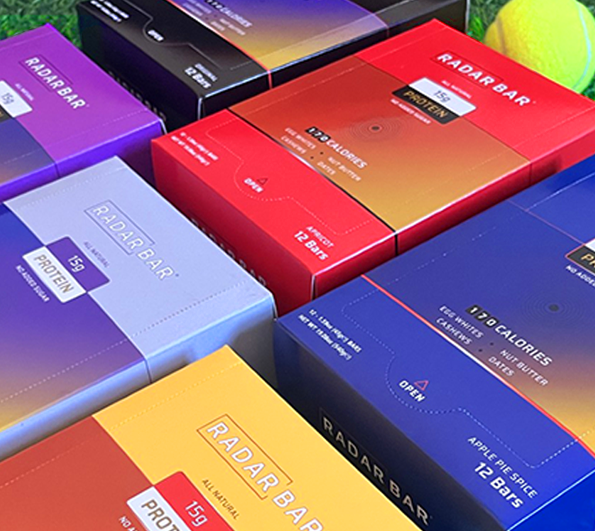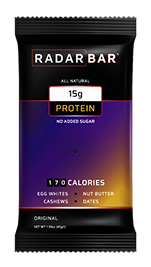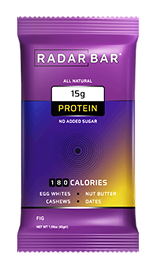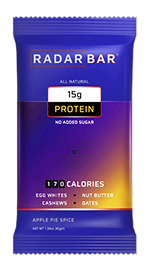
Get a subscription for recurring deliveries every 15, 30, or 45 days to ensure you’re never without a Radar Bar.
By subscribing, you agree that your subscription will be renewed and your credit/debit card will be billed for the subscription rate, including taxes, for each selected period until you cancel. Once logged in, you can cancel at any time without penalty or additional charges by going to Dashboard > Subscriptions > View, and click "Stop". Refunds won’t be provided for any amounts charged prior to cancellation.
Click on the tabs below to find any frequently asked questions. If you have a question that isn’t listed below, feel free to contact us using the field on the right side of the FAQs.
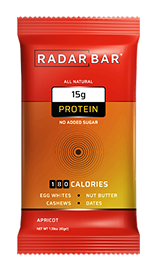
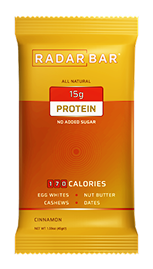
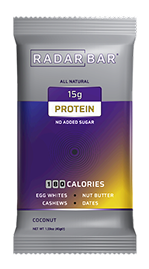
Radar Bar is an all natural proten bar. No added sugar, or any additives of any kind. Just raw cashews, homemade peanut butter, dates, and egge white powder.
It offers 15 grams of protein, at 17o calories.
Radar Bar is an all natural proten bar. No added sugar, or any additives of any kind. Just raw cashews, homemade peanut butter, dates, and egge white powder.
It offers 15 grams of protein, at 17o calories.
Radar Bar is an all natural proten bar. No added sugar, or any additives of any kind. Just raw cashews, homemade peanut butter, dates, and egge white powder.
It offers 15 grams of protein, at 17o calories.
Radar Bar is an all natural proten bar. No added sugar, or any additives of any kind. Just raw cashews, homemade peanut butter, dates, and egge white powder.
It offers 15 grams of protein, at 17o calories.
Read below to find any frequently asked questions regarding subscriptions. If you have a question that isn’t listed below, feel free to contact us here.
A Radar Bar subscription is an automatic, periodic order of your favourite Radar Bar product/s that occur automatically every 15, 30, or 45 days.
Once initiated, the orders occur automatically until you want to them to stop.
With a subscription, you don’t have to keep manually ordering your Radar Bar.
In addition, you’ll get a discounted price when you order a subscription.
It’s very simple to start a subscription. Just follow the below steps:
Please note, you’ll need to create an account or login in order to order a subscription.
For more information, you can check out our Subscription page here.
Yes. Go to your account’s Dashboard > Subscriptions > View > Stop.
Yes. Go to your account’s Dashboard > Subscriptions > View > Pause.
Yes. You can change whether you want an automatic order to occur every 15, 30, or 45 days.
Go to your account, and from there: Dashboard > Subscriptions > View > Change Frequency.
We’ll email you regarding your subscription when:
A subscription could fail for any of the below reasons: